1. Home
  2. Integration
  3. Constant Contact

Constant Contact → Verify → Tag Valid Subscribers

Automatically verify new Constant Contact subscribers with MyEmailVerifier via Zapier. Only valid emails get tagged and processed, protecting your sender reputation and improving deliverability.

Set Up Integration
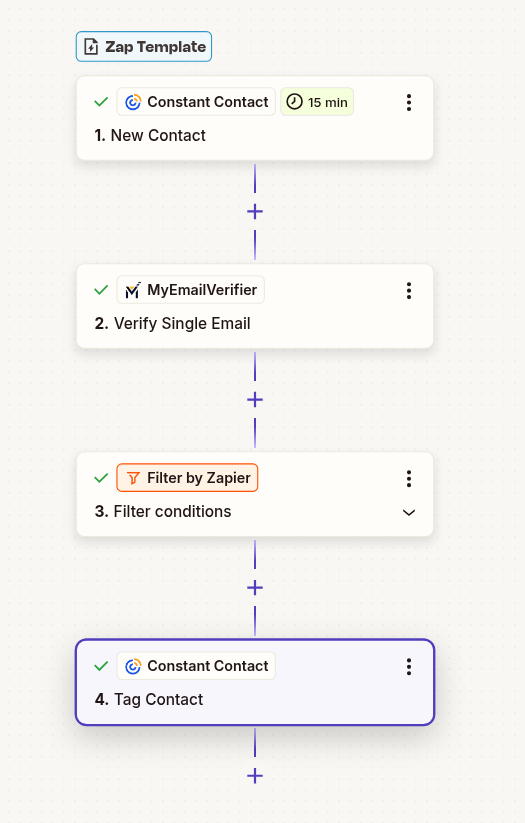
Constant Contact email verification workflow

Why Verify Constant Contact Subscribers?

Protect Sender Reputation

High bounce rates damage your Constant Contact sending reputation. Verify emails before they enter your list.

Save on Subscriber Costs

Constant Contact charges per contact. Remove bad emails automatically to reduce costs and improve ROI.

Improve Campaign Metrics

Clean lists mean higher open rates, better click-through rates, and more accurate performance data.

Step-by-Step Setup Guide

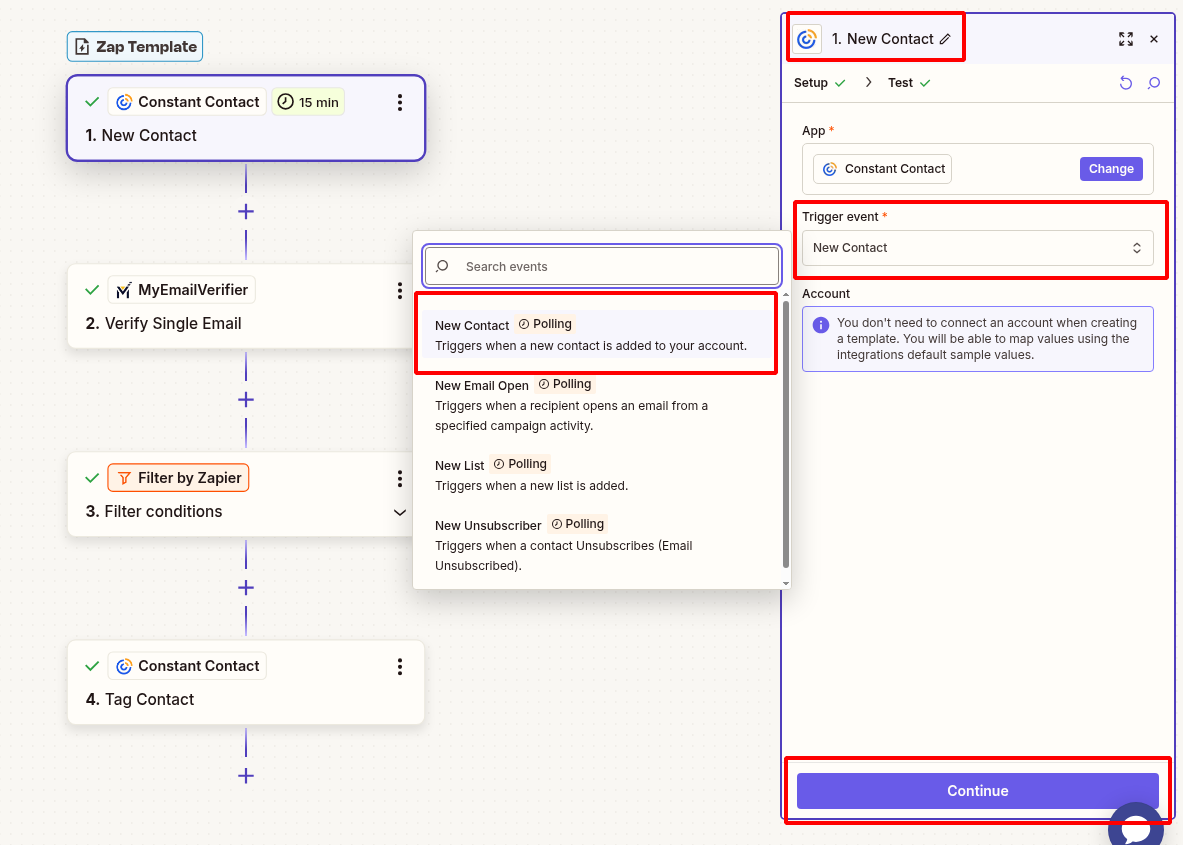
1Connect Constant Contact to Zapier

  • Log in to Zapier and create new Zap
  • Search for "Constant Contact" and select it as trigger
  • Choose trigger event: "New Contact"
  • Connect your Constant Contact account
  • Select the List you want to monitor
  • Test trigger to pull sample contact
Constant Contact trigger setup

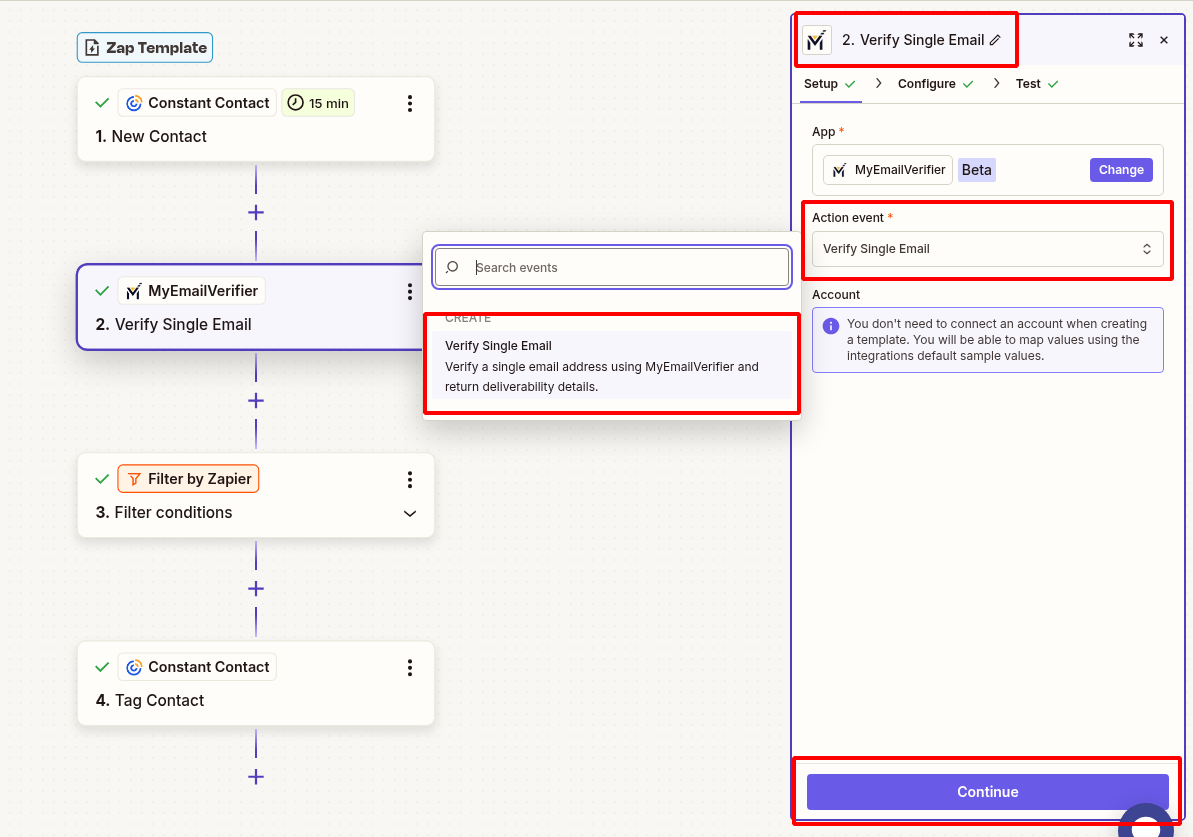
2Add MyEmailVerifier Action

  • Click "+" to add action step
  • Search for "MyEmailVerifier"
  • Choose action: "Verify Email"
  • Connect your MyEmailVerifier account with API key
  • Map the "Email Address" field from Constant Contact
  • Test to see verification results
MyEmailVerifier action setup

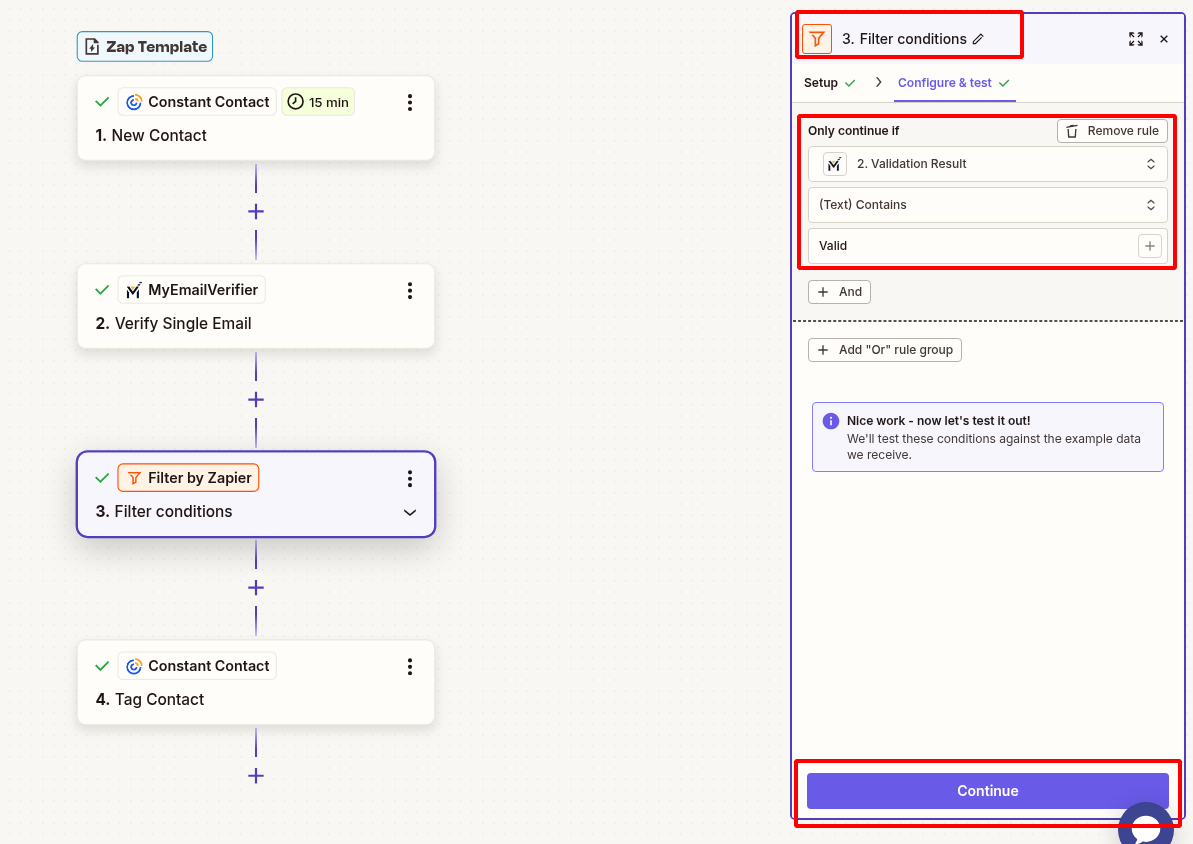
3Add Filter for Valid Emails Only

Add a Filter step to only continue when email is valid:

  • Click "+" to add a Filter step
  • Choose "Filter by Zapier"
  • Set condition: "Status" exactly matches "valid"
  • Test the filter to ensure it works correctly
Filter setup
Note: Only contacts with valid emails proceed. Invalid emails are filtered out automatically.

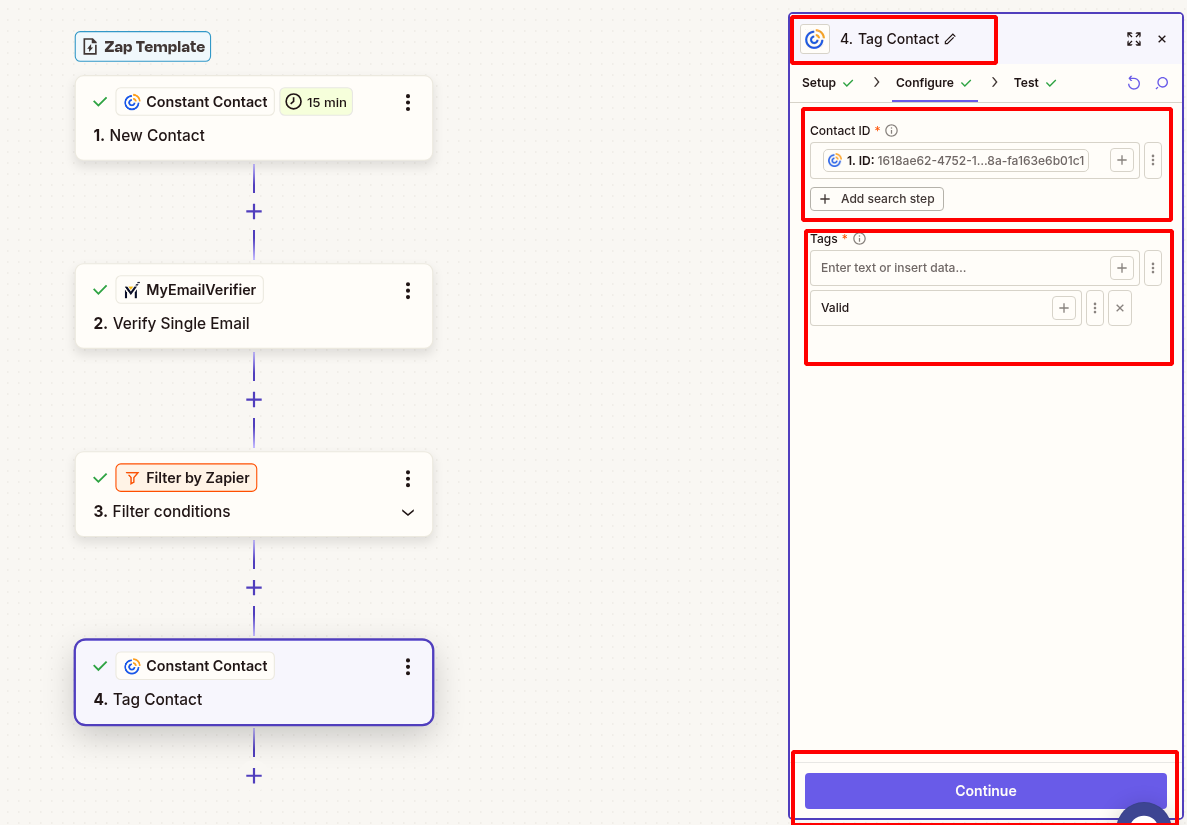
4Tag Valid Subscribers in Constant Contact

  • Click "+" to add final action
  • Search for Constant Contact and select: "Add Tag to Contact"
  • Map email address from trigger
  • Select your List
  • Add tag: "Verified-Valid"
  • Test the action to confirm tag is applied
Tag action setup

5Test & Activate

  • Add a test contact with valid email to your list
  • Verify Zap triggers and tag is applied correctly
  • Test with invalid email to confirm filter blocks it
  • Turn on your Zap to start automatic verification
  • Monitor Zap history for smooth operation

Ready to Clean Your Constant Contact List?

Set up verification in minutes and protect your sender reputation today.

Start Integration View All Templates
MyEmailVerifier

Copyright © 2026 · MyEmailVerifier · All Rights Reserved