Mailchimp → Verify → Tag Valid Subscribers
Automatically verify new Mailchimp subscribers with MyEmailVerifier via Zapier. Only valid emails get tagged and processed, protecting your sender reputation and improving deliverability.
Set Up Integration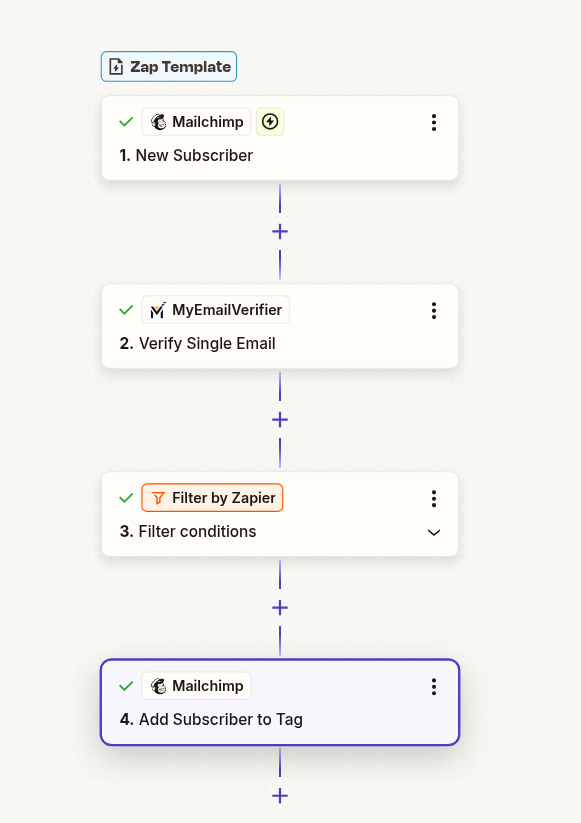
Automatically verify new Mailchimp subscribers with MyEmailVerifier via Zapier. Only valid emails get tagged and processed, protecting your sender reputation and improving deliverability.
Set Up Integration
High bounce rates damage your Mailchimp sending reputation. Verify emails before they enter your list to maintain deliverability.
Why pay for invalid subscribers? Mailchimp charges per contact. Remove bad emails automatically to reduce costs.
Clean lists mean higher open rates, better click-through rates, and more accurate performance data for optimization.
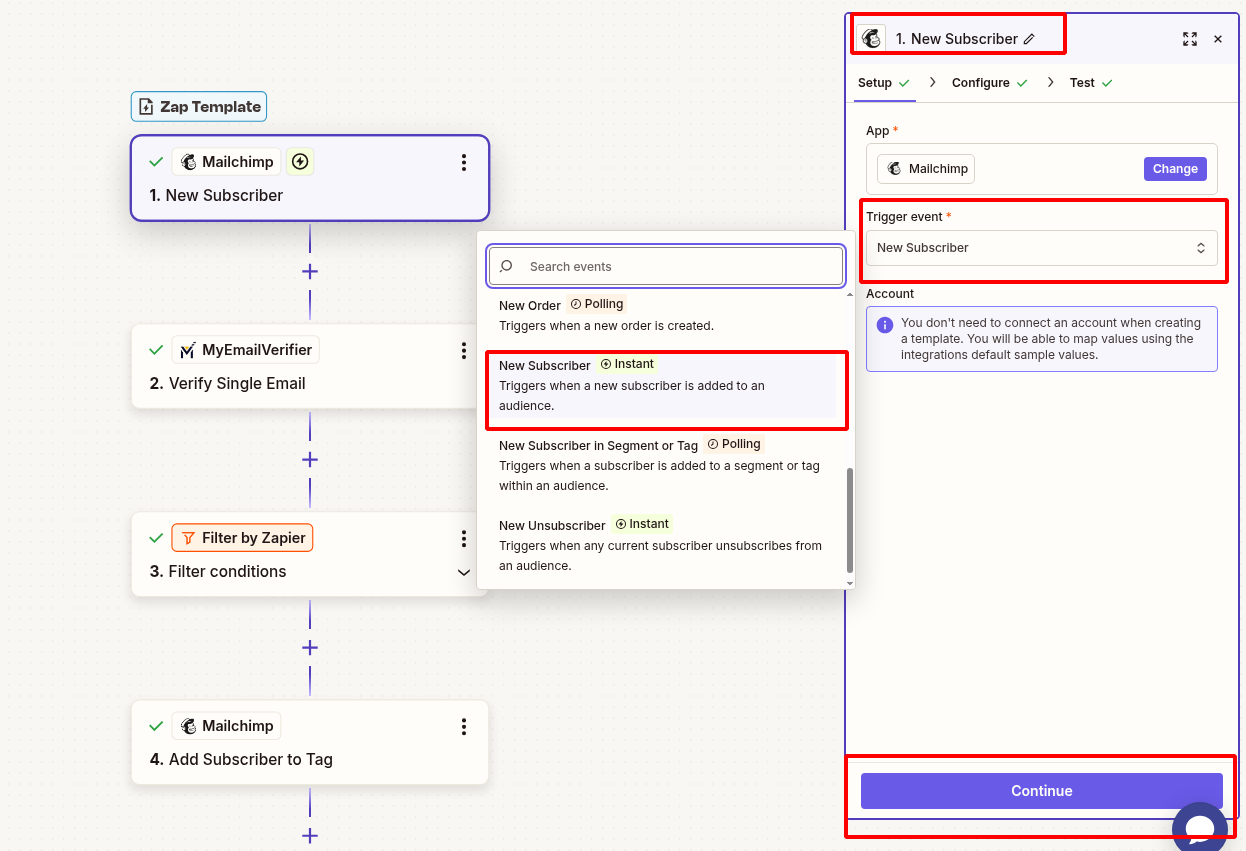
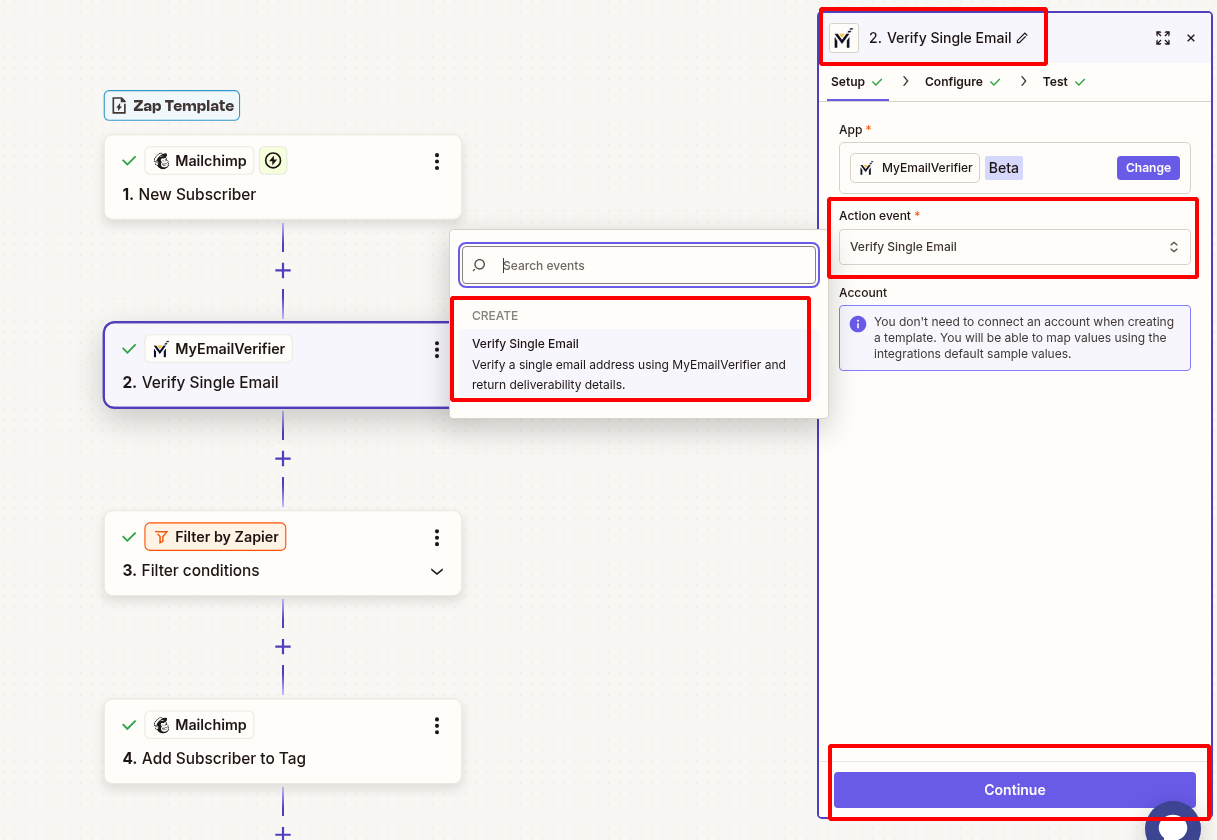
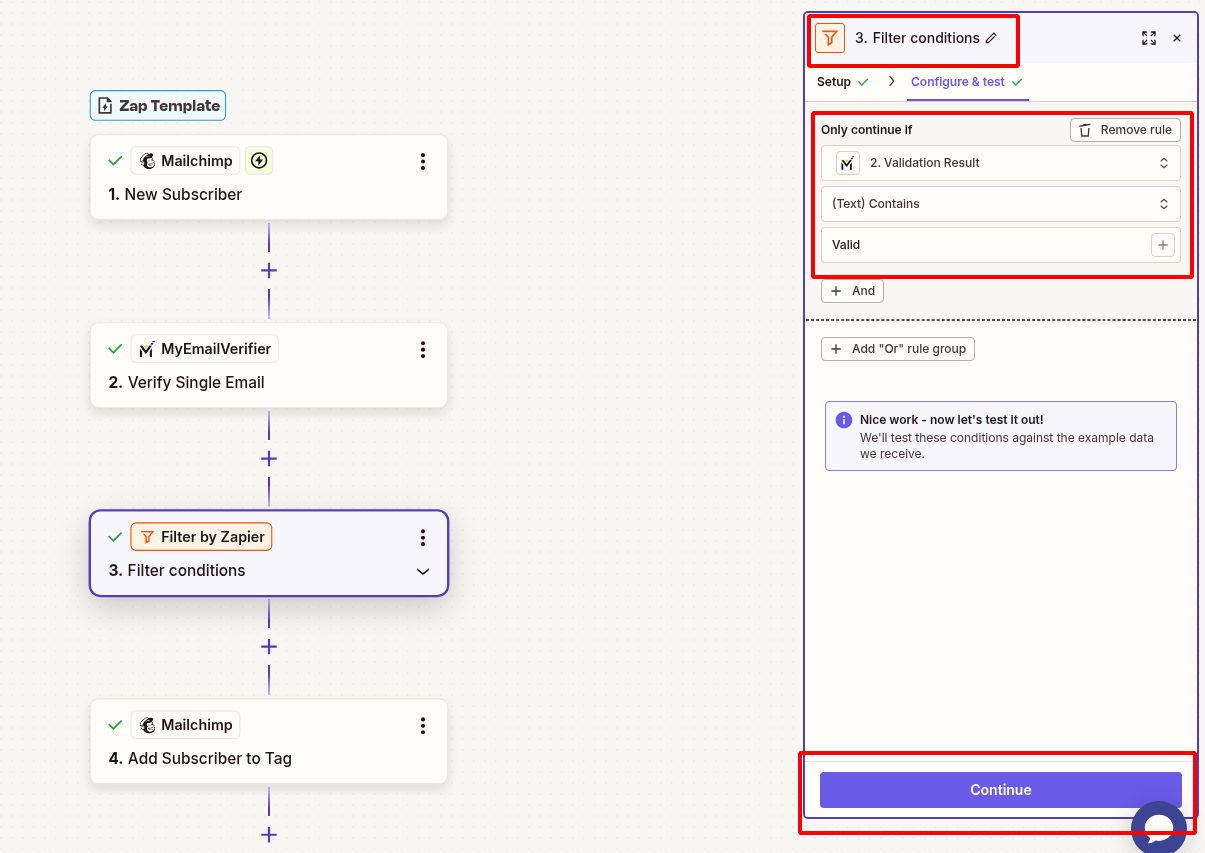
Add a Filter step to only continue when email is valid:
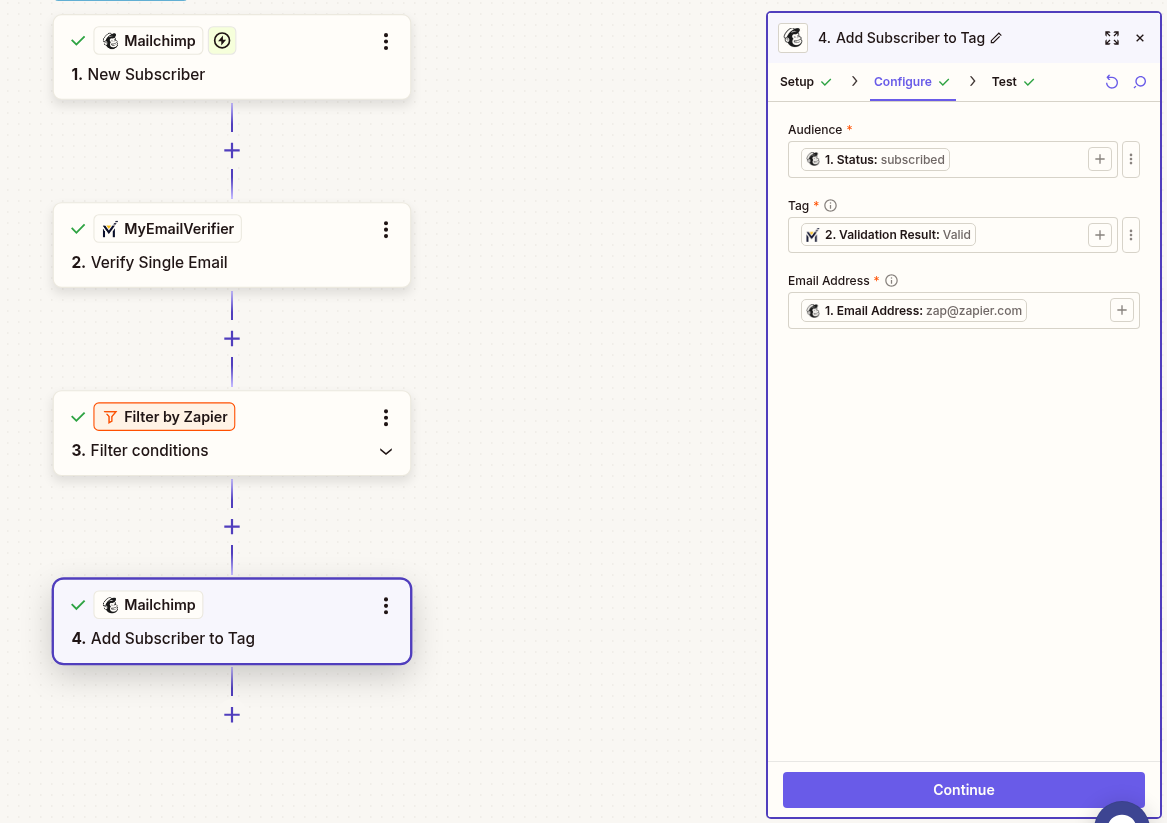
Scenario: Customers subscribe via website popup or checkout process.
Workflow: New subscriber triggers verification. Valid subscribers get "Verified-Valid" tag and receive welcome email. Invalid emails are filtered out automatically.
Benefit: Protect deliverability during high-volume promotional campaigns, improve email ROI, reduce costs from invalid contacts.
Scenario: Visitors download free resource in exchange for email address.
Workflow: Form submission adds to Mailchimp. Verify email with filter for valid status. Only verified valid emails enter nurture sequence.
Benefit: Prevent fake signups from competitors or bots, ensure quality lead database, better automation engagement rates.
Scenario: Attendees register for webinar or in-person event.
Workflow: Registration adds to Mailchimp audience. Verification identifies and filters out disposable/fake emails. Send event reminders only to verified valid attendees.
Benefit: Accurate attendee count, better event planning, reduced no-shows from fake registrations.
Scenario: Bulk import contacts from trade show, partner list, or purchased database.
Workflow: Import to Mailchimp triggers verification Zap for each contact. Only valid contacts get "Verified-Valid" tag and receive your first campaign sent to a "Verified-Valid" segment.
Benefit: Avoid Mailchimp compliance issues, prevent account suspension from high bounce rates, save money on invalid contacts.
Setup: Create Mailchimp segment with condition "Tag is Verified-Valid" for all campaigns.
Use Case: Send all email campaigns only to verified valid subscribers automatically.
Benefit: Maximum deliverability, highest engagement rates, protected sender reputation across all campaigns.
Setup: Create a second Zap with Filter "Status does not exactly match valid". Add Slack notification or tag as "Needs-Review".
Use Case: Monitor invalid signups for fraud attempts, competitor research, or form issues.
Benefit: Immediate awareness of quality issues, faster response time, can fix form problems quickly.
Setup: Create segment of subscribers not emailed in 90+ days. Use Zapier scheduled trigger to re-verify.
Why: Email addresses become invalid over time. Re-verify before re-engagement campaigns.
Benefit: Protect sender reputation, improve re-engagement success rates.
Setup: In Mailchimp automations, add condition "Tag is Verified-Valid" before sending emails.
Use Case: Welcome series, abandoned cart, and nurture sequences only go to verified subscribers.
Benefit: Maintain high engagement in automation flows, prevent bounces, maximize ROI on automated campaigns.

Active account with API access enabled
Free or paid plan (paid recommended for faster triggers)
Active account with verification credits
Issue: Verification completes but Mailchimp tags don't update.
Solution: Ensure tag names match exactly (case-sensitive). Check Mailchimp permissions in Zapier connection.
Issue: Invalid emails still getting tagged.
Solution: Check Filter condition is "exactly matches" (not "contains"). Verify MyEmailVerifier returns lowercase "valid" status. Test with known invalid email.
Issue: New subscribers don't trigger Zap.
Solution: Verify Mailchimp account connection. Check if correct audience is selected. Ensure subscriber is confirmed, not pending.
Issue: Using too many verification credits.
Solution: Add Filter to skip already-tagged subscribers. Consider verification only for specific segments or campaigns.
Set up verification in minutes and protect your sender reputation today.
Start Integration View All Templates
Copyright © 2026 · MyEmailVerifier · All Rights Reserved